


yt-dlp-telegram-bot
This bot downloads videos from various supported sources (see yt-dlp) and then re-uploads them to Telegram, so they can be viewed with Telegram's built-in video player.
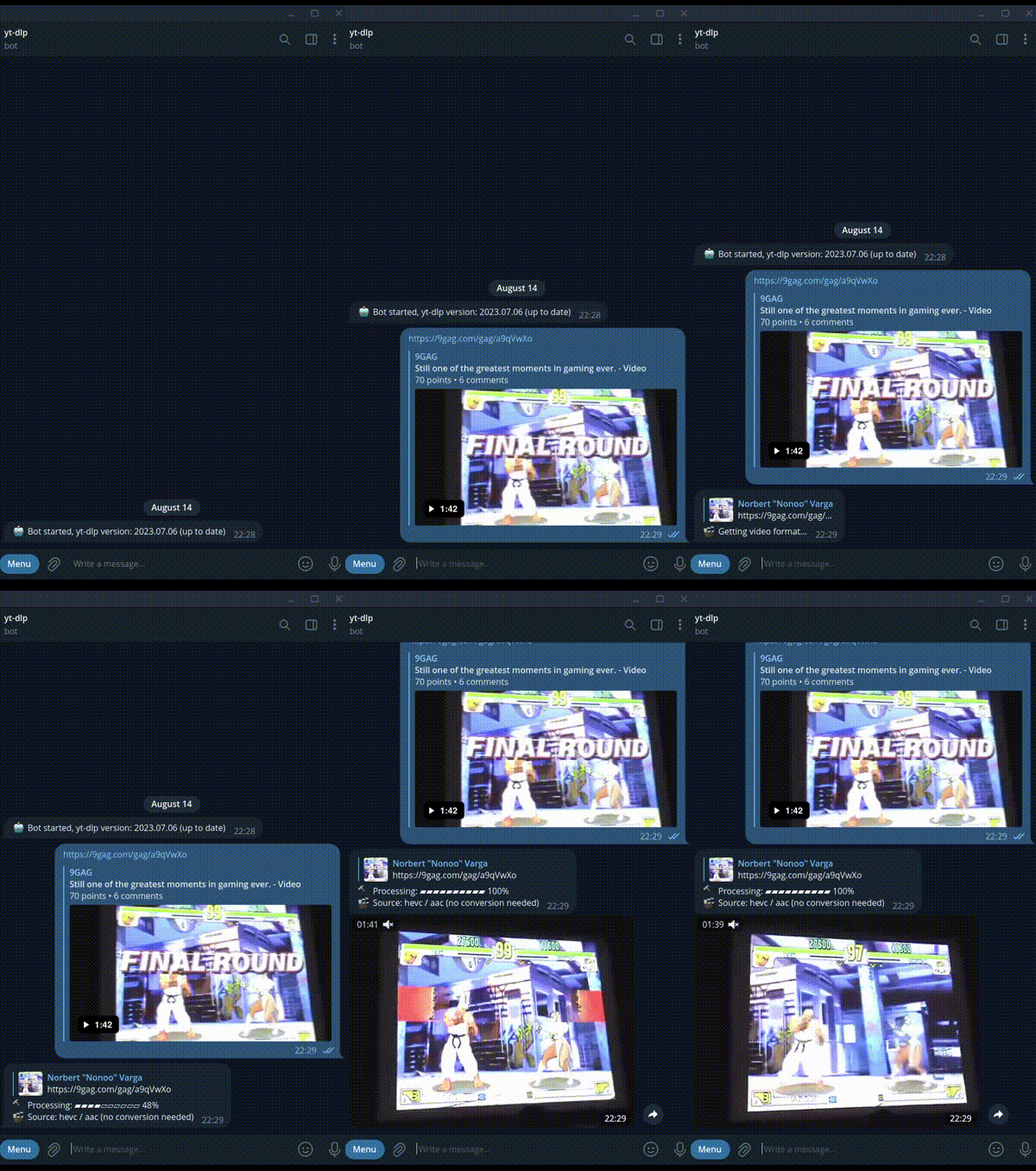
The bot displays the progress and further information during processing by responding to the message with the URL. Requests are queued, only one gets processed at a time.
The bot uses the Telegram MTProto API, which supports larger video uploads than the default 50MB with the standard Telegram bot API. Videos are not saved on disk. Incompatible video and audio streams are automatically converted to match those which are supported by Telegram's built-in video player.
The only dependencies are yt-dlp and ffmpeg. Tested on Linux, but should be able to run on other operating systems.
Compiling
You'll need Go installed on your computer. Install a recent package of golang.
Then:
go get github.com/nonoo/yt-dlp-telegram-bot
go install github.com/nonoo/yt-dlp-telegram-bot
This will typically install yt-dlp-telegram-bot into $HOME/go/bin.
Or just enter go build in the cloned Git source repo directory.
Prerequisites
- Create a Telegram bot using BotFather and get the
bot's
token. - Get your Telegram API Keys
(
api_idandapi_hash). You'll need to create an app if you haven't created one already. Description is optional, set the category to "other". If an error dialog pops up, then try creating the app using your phone's browser. - Make sure
yt-dlp,ffprobeandffmpegcommands are available on your system.
Running
You can get the available command line arguments with -h.
Mandatory arguments are:
-api-id: set this to your Telegram appapi_id-api-hash: set this to your Telegram appapi_hash-bot-token: set this to your Telegram bot'stoken
Set your Telegram user ID as an admin with the -admin-user-ids argument.
Admins will get a message when the bot starts and when a newer version of
yt-dlp is available (checked every 24 hours).
Other user/group IDs can be set with the -allowed-user-ids and
-allowed-group-ids arguments. IDs should be separated by commas.
You can get Telegram user IDs by writing a message to the bot and checking the app's log, as it logs all incoming messages.
You can set a max. upload file size limit with the -max-size argument.
Example: -max-size 512MB
All command line arguments can be set through OS environment variables. Note that using a command line argument overwrites a setting by the environment variable. Available OS environment variables are:
API_IDAPI_HASHBOT_TOKENYTDLP_PATHALLOWED_USERIDSADMIN_USERIDSALLOWED_GROUPIDSMAX_SIZEYTDLP_COOKIES
The contents of the YTDLP_COOKIES environment variable will be written to the
file /tmp/ytdlp-cookies.txt. This will be used by yt-dlp if it is running
in a docker container, as the yt-dlp.conf file in the container points to this
cookie file.
Supported commands
/dlp- Download given URL. If the first attribute is "mp3" then only the audio stream will be downloaded and converted (if needed) to 320k MP3/dlpcancel- Cancel ongoing download
You don't need to enter the /dlp command if you send an URL to the bot using
a private chat.
Contributors
- Norbert Varga nonoo@nonoo.hu
- Akos Marton
Donations
If you find this bot useful then buy me a beer. :)